

If you’ve been doing SEO for even a few weeks, you’ve probably had that moment where you stare at a website and think, “Okay… what the hell is going on behind the scenes?”
Meta tags, headings, canonical, OG tags… all those tiny details that decide whether Google loves your site or ignores it.
And that’s exactly where SEO Meta in 1 Click becomes your little lifesaver.
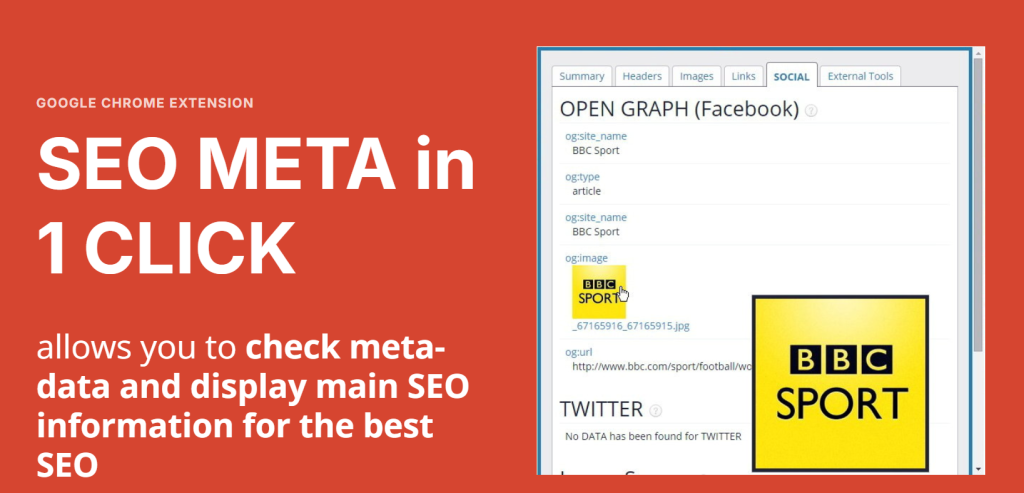
This free Chrome extension basically opens the website’s SEO information like a cheat sheet. No inspecting elements, no digging through code, no CTRL+U nightmares. Just one click… and boom — everything shows up.
What Is SEO Meta in 1 Click? (Explained like a human)
To keep it simple, think of this plugin as that friend who tells you the truth straight-up.
You click the icon → and it shows:
Title tag
Meta description
Headers (H1, H2, H3… and the messy ones too)
Canonical URL
Robots meta tags
Open Graph data
Twitter cards
Image alt attributes
Even word count and page structure
Basically, all the on-page stuff SEOs check every single day.
I’ve used so many browser tools, but this one honestly feels like flipping a page in a notebook — everything is there instantly, no loading time, nothing fancy, just raw info.
Why People Love This Plugin (and why even pros still use it)
Here’s the truth:
Even if you’re using Ahrefs, Semrush, Screaming Frog… you’ll still need a quick manual check.
And this plugin does exactly that.
1. It’s stupidly fast
Click → data appears.
No login. No dashboards. No overthinking.
2. Totally free
Honestly rare in SEO tools.
No subscription. No credits. No sneaky trials.
3. Great for quick competitor checks
Checking what title/description your competitor uses?
What their H1 actually is?
How many words they wrote?
This plugin is like spying on their homework.
4. Perfect for fixing on-page issues
I’ve had clients complain “my site isn’t ranking”
Then I click the plugin…
And see they have TWO H1 tags, a 200-character title, and images with “Screenshot_452.png” as alt text.
Classic SEO chaos.
Features That Actually Matter
Let’s break down the stuff you’ll use the most:
1. Meta Tags Overview
Shows:
Title (length included)
Meta description (length included)
Keywords (even though no one uses them anymore)
Canonical
Handy for spotting missing or duplicated metadata.
2. Headers Structure
Shows:
H1
H2
H3
H4…
If your site looks like:
H1 – H3 – H2 – H6 – H1 Again
You’ll instantly see the mess.
3. Social Preview Tags
Shows:
OG title
OG description
OG image
Twitter Card tags
Useful when clients ask “why is my Facebook preview looking weird?”
4. Images Alt Attributes
This is gold.
You can instantly see which images:
Have no alt text
Have bad alt text
Or have alt text that looks like someone smashed keywords into it
5. Technical Checks
Shows:
Robots meta
Canonical
Language tag
Schema snippet preview
Word count
Good for quick audits.
How I Use SEO Meta in 1 Click (Real-Life Workflow)
Here’s a 30-second routine I genuinely use:
Open client website
Click the plugin
Check if title/description are missing
Verify if only one H1 exists
Check word count (if it’s 200 words… we have work to do)
Scan image alt tags
Confirm canonical + robots tag
This helps me find small issues before running heavy tools like Screaming Frog.
Who Should Use This Plugin?
⭐ Beginners
Who want to understand on-page SEO without getting overwhelmed.
⭐ Freelancers & small business owners
Quick way to audit your own website.
⭐ Agencies
Perfect for pre-sales: “Here are 6 issues we found on your website…”
⭐ Bloggers
Helps them check meta tags on competitor blogs before writing.
Its Limitations (because nothing is perfect)
Just being honest:
It doesn’t show traffic or keyword data
No backlink analysis
It doesn’t detect deep technical issues
You can’t export data
But that’s the thing — it’s not meant to replace Ahrefs or GSC.
It’s a simple information tool for quick SEO checks.
Is SEO Meta in 1 Click Safe?
Yes.
It doesn’t access analytics, passwords, or private data.
It only reads visible HTML elements on websites.
How to Install It (takes 10 seconds)
Open Chrome Web Store
Search SEO Meta in 1 Click
Click Add to Chrome
The icon will appear in your browser bar
Visit any site → click once → done
Is It Worth Using in 2025?
100% yes.
SEO is fast, competitive, and sometimes stressful.
This plugin gives you instant clarity on what’s happening behind any webpage.
If you’re someone who audits multiple sites daily, you’ll pretty much fall in love with it.
FAQs
1. Is SEO Meta in 1 Click free?
Yes, it’s completely free.
2. Does it slow down my browser?
Not at all. It’s a lightweight extension.
3. Can it help in ranking my website?
Indirectly yes — it helps you fix on-page issues faster.
4. Is it beginner-friendly?
Super beginner-friendly.
No complicated dashboards.
5. Can I check competitor websites with this?
Yes, it works on ANY public website.